Thursday, March 6, 2014

Western Digital Contest - Save Your Moments on Your Personal Cloud with WD

Western Digital Philippines announced on its Facebook Page its promo entitled Save Your Moments on Your Personal Cloud with WD. Which all participants are encourage to capture the moment that you feel is worth saving. In thirty (30) words or less, explain why would like to save this photo on a WD My Cloud.
Western Digital Save Your Moments on Your Personal Cloud with WD Promo

As of this moment upon writing this post, there are total of 263 entries have been posted. There is no limit for number of entries per individual. No purchase necessary.

This promo runs from February 28 up to March 28, 2014.

Prices to be given are:
First Prize:
WD My Cloud 4 TB- Personal Coloud storage
Apple iPad Air - 16 GB Wi-Fi Tablet

Second Prize:
WD My Cloud 3 TB - Personal Cloud Storage
ASUS MeMO Pad - HD 7 16GB Tablet

Weekly Prize:
My Passport Ultra - 1 TB Portable Hard Drive
Western Digital Save Your Moments on Your Personal Cloud with WD Promo


Talk N Text Free Facebook and Twitter with TNT FREE SOCIAL

Talk N Text Free Facebook and Twitter with TNT FREE SOCIAL


Be updated on your status, tweets, post pictures for free. Talk N Text offers TNT FREE SOCIAL where in Talk N Text users can browse Facebook, Twitter, Foursquare, Google Plus, LinkedIn and Path for Free.

To avail: Text FREE <space> SOCIAL and send to 5555
Example: FREE SOCIAL

This promo has limited offer only. Promo duration is extended up to March 31, 2014.

(Source)

Wednesday, March 5, 2014

Windows 8 Basic Keyboard Shortcuts

Knowing some of these keyboard shortcuts for windows 8 desktop will help you enjoy and work much easier and comfortable. Try to check these keyboard shortcuts
Windows 8 Basic Keyboard Shortcuts

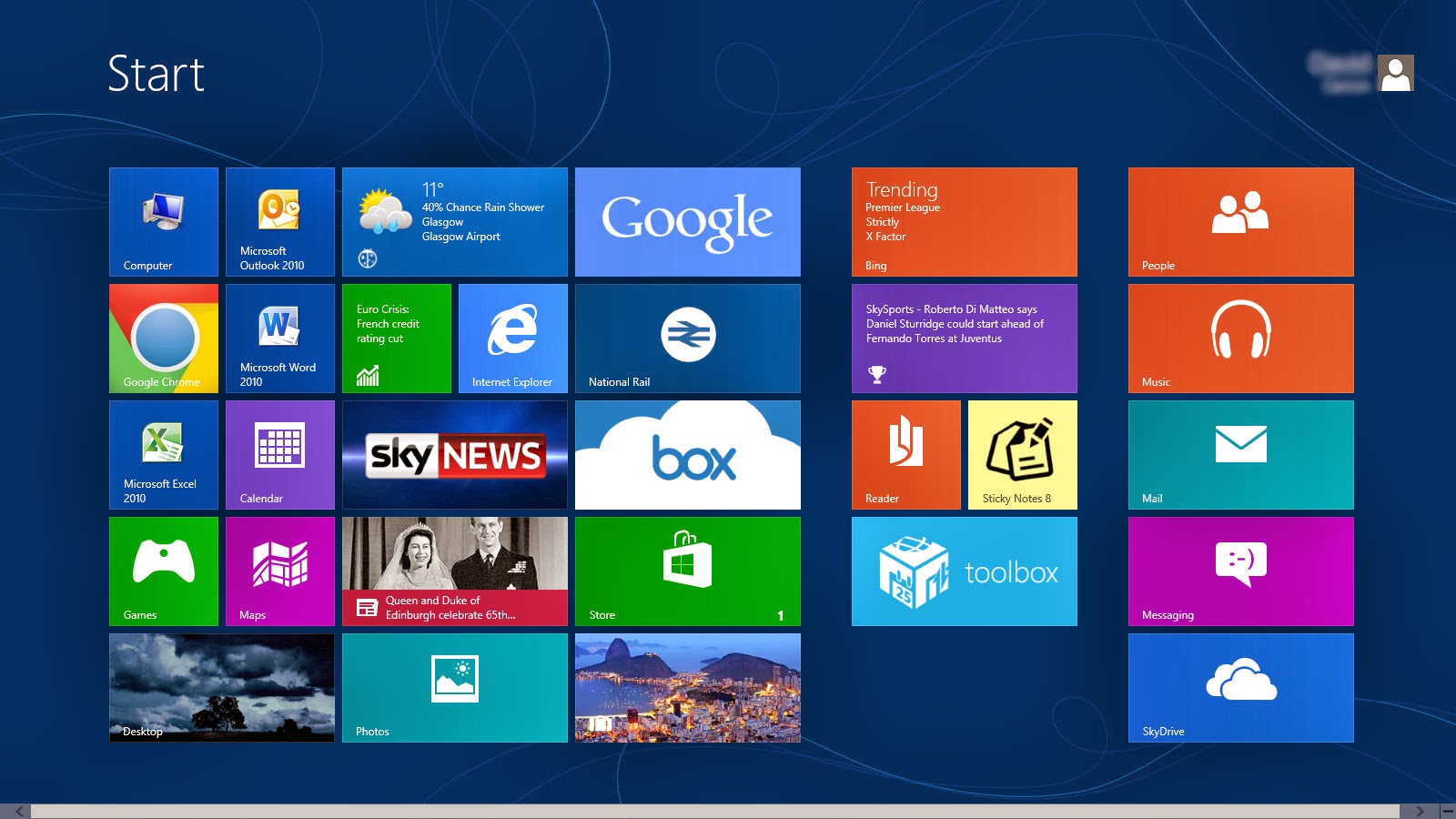
  • Press the Windows key to open the Start screen or switch to the Desktop.
Windows 8 Basic Keyboard Shortcuts - Desktop
  • Press the Windows key + D will open the Windows Desktop.
  • Press the Windows key + . to pin and unpin Windows apps on the side of the screen.
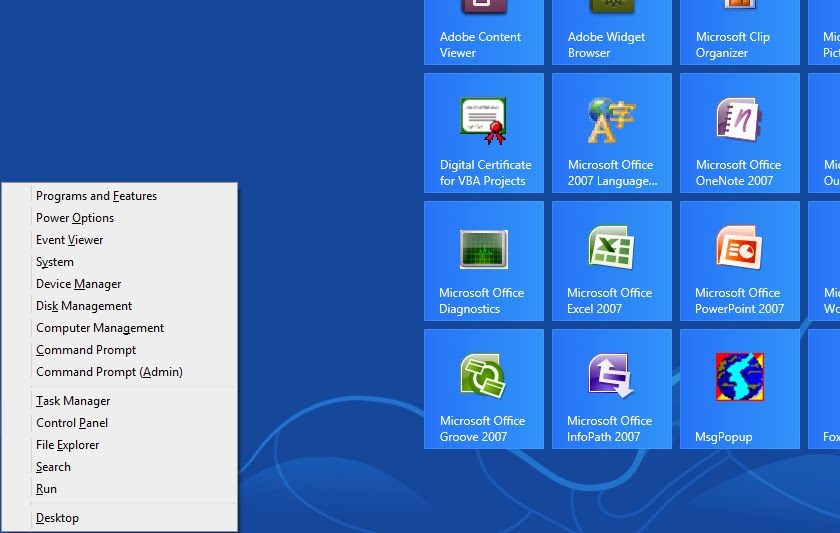
  • Press the Windows key + X to open the power user menu, which gives you access to many of the features most power users would want (e.g. Device Manager and Command Prompt).
Windows 8 Basic Keyboard Shortcuts - User Menu
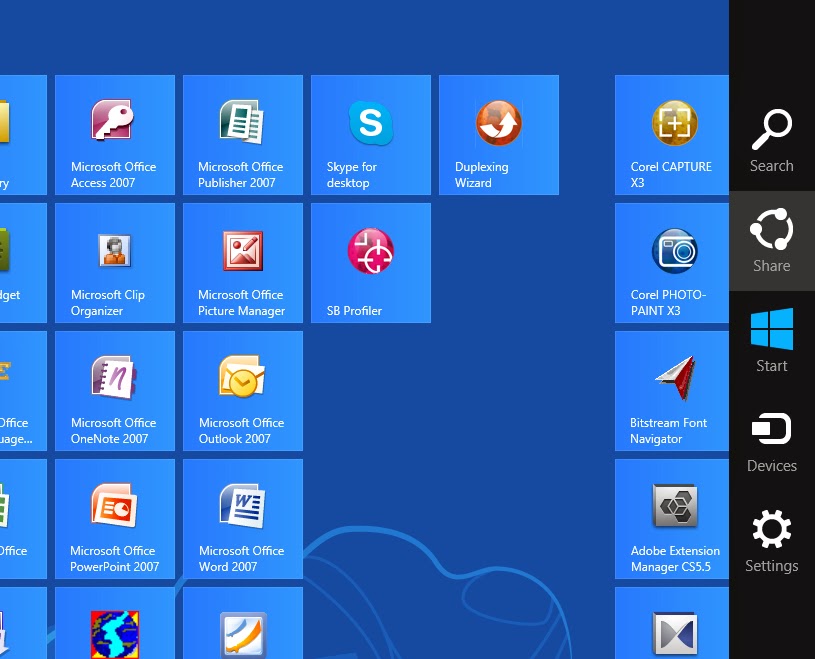
  • Press the Windows key + C to open the Charms.
Windows 8 Basic Keyboard Shortcuts - Charms

  • Press the Windows key + I to open the Settings, which is the same Settings found in Charms.
Windows 8 Basic Keyboard Shortcuts - Settings
  • Press and hold the Windows key + Tab to show open apps.
  • Press the Windows key + Print screen to create a screen shot, which is automatically saved into your My Pictures folder.

(Source)

Related Posts Plugin for WordPress, Blogger...

Topic of the Week


Followers

Directories

Computers Blog Directory Top  blogs Blog Directory & Search engine Top Technology-Internet Sites
Copyright © 2013 Charotero - A Personal Technical Diary | Powered by Blogger
Powered by Edgy Facts - Widget